Unarchive a collection
Who can use this feature?
🔐 Only workspace members with full access can unarchive collections.
⭐️ Available on all plans.
To unarchive a collection
Go to the workspace that contains the collection you'd like to unarchive.
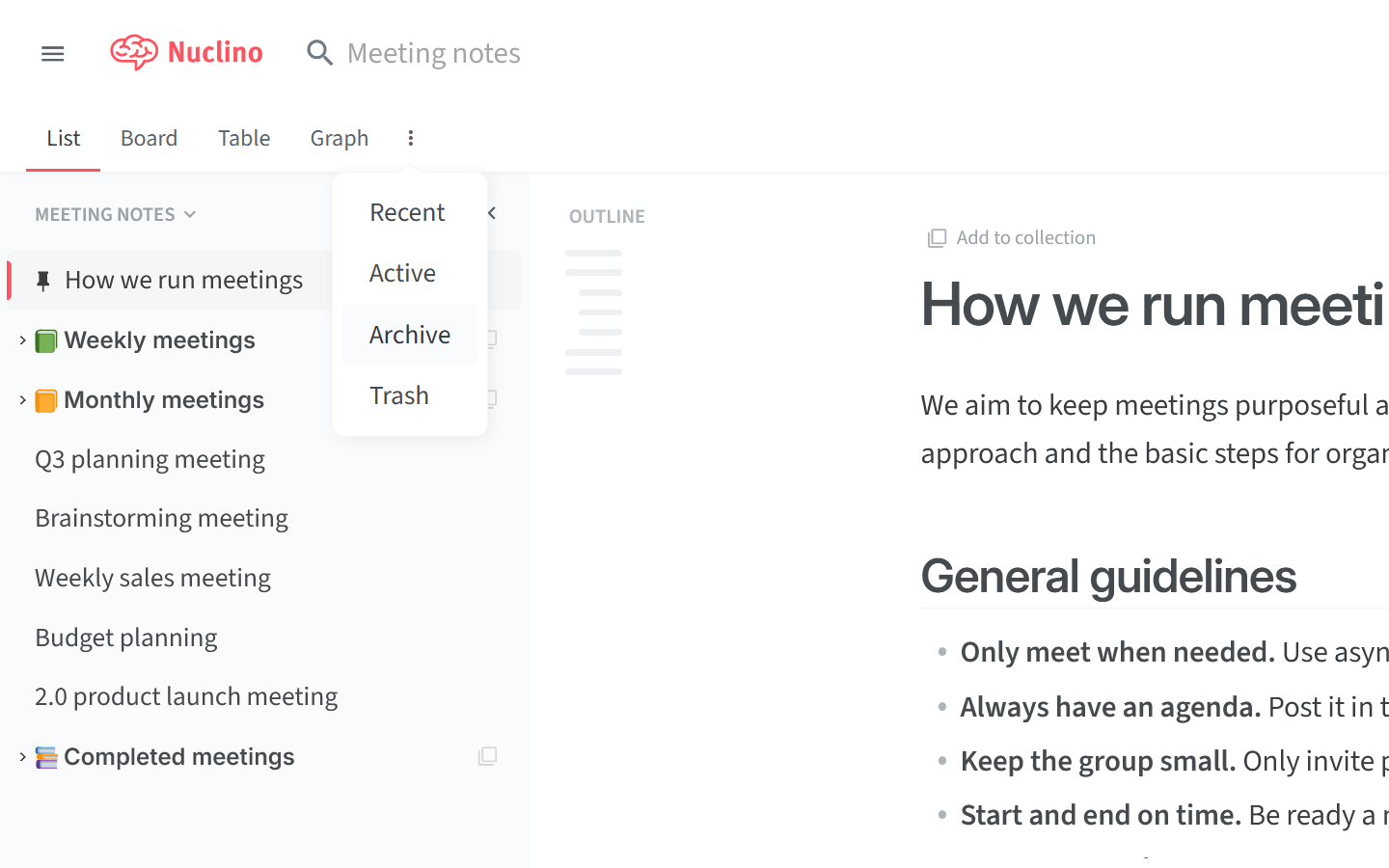
Click on the three dots
⋮to the right of the view tabs.Select Archive from the menu.
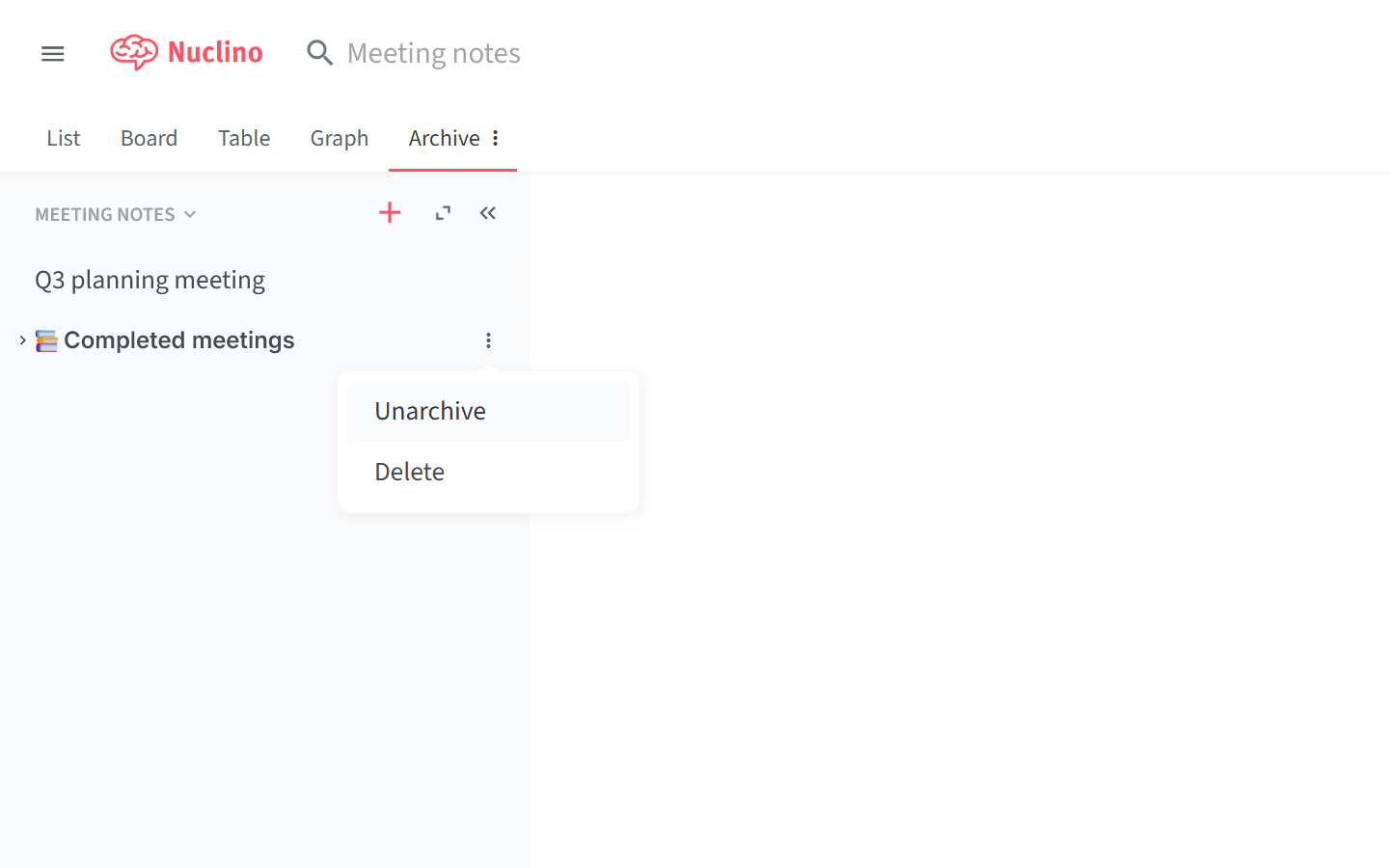
Move your mouse over the collection you'd like to unarchive in the left sidebar.
Click on the three dots
⋮to the right of the archived collection.Select Unarchive. The collection will be moved back to the workspace.
You can also unarchive multiple collections at once. Use the Ctrl/Cmd + Click shortcut to add or remove collections from the selection or the Shift + Click shortcut to select a range of collections.